How to Master Active Directory for OSCP Success Step‑by‑Step
If you’ve been eyeing the OSCP exam, you already know that breaking into a Windows domain is one of the tougher playgrounds. Active Directory (AD) sits at the heart of most corporate networks, and the exam loves to throw a handful of AD‑related machines into the mix. This guide walks you through the essential concepts, tools, and tactics you’ll need to feel comfortable when the lab hands you a domain controller.
Why Active Directory Matters for OSCP
Most real‑world pentests involve Windows environments. Understanding AD gives you a roadmap for lateral movement, privilege escalation, and data extraction. On the OSCP side, the exam’s “Network” and “Active Directory” sections are where you can earn a solid chunk of points—or get stuck forever if you’re unprepared.
Core AD Concepts Worth Knowing
- Domain Controllers (DCs) – the authoritative servers for authentication and policy.
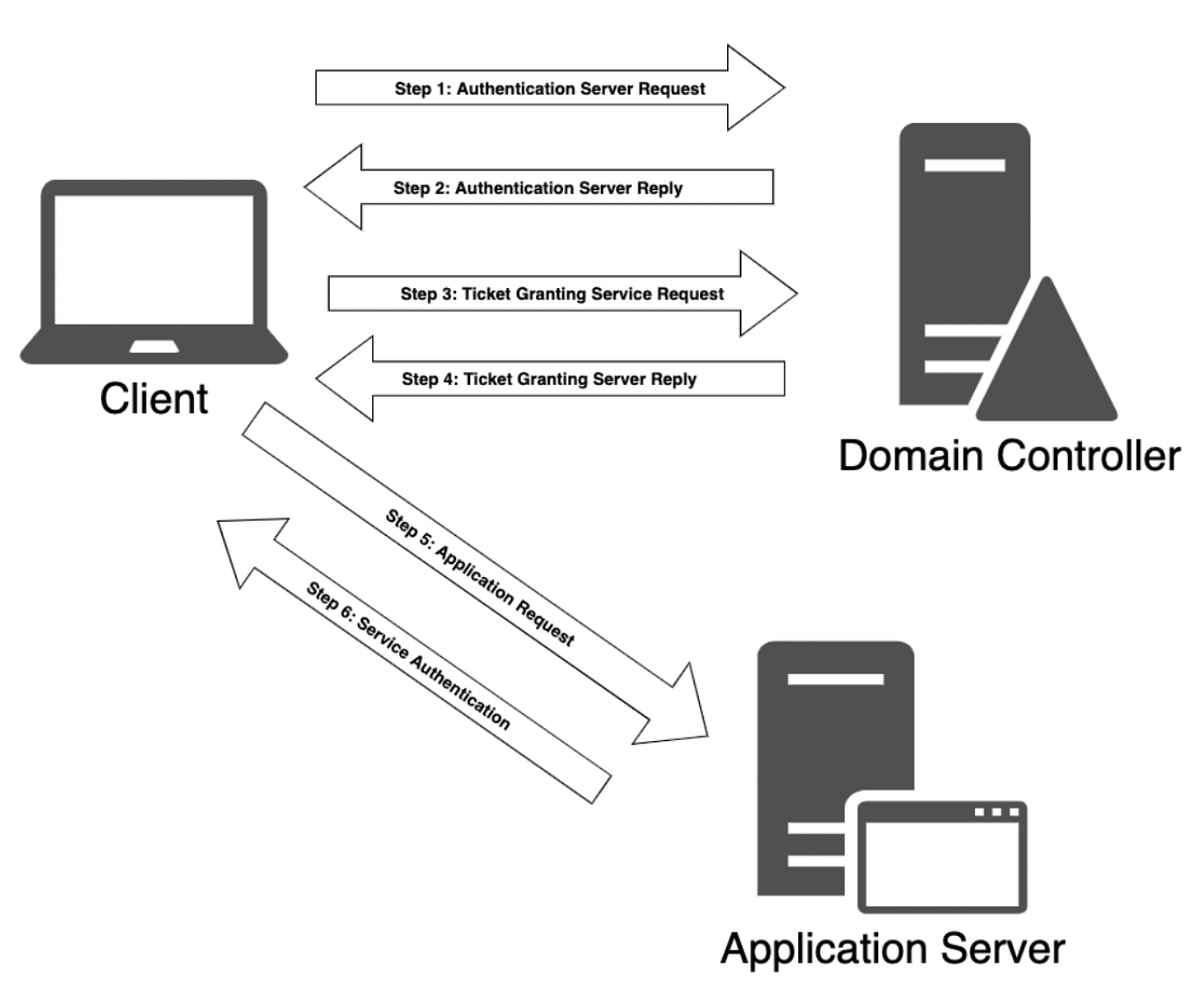
- Kerberos – the default ticket‑granting protocol; learning its tickets (TGT, TGS) is crucial.
- LDAP – the directory service protocol used for queries and modifications.
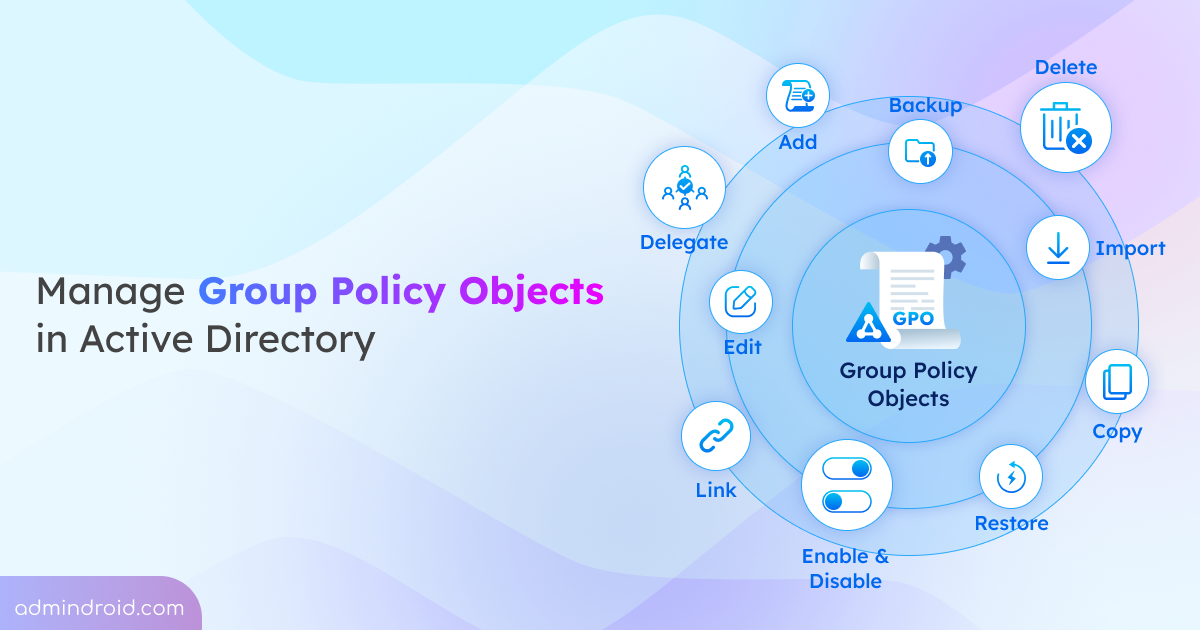
- Group Policy Objects (GPOs) – control user rights and can be abused for escalation.
- Service Accounts – often have high privileges and weak passwords.
Setting Up a Lab That Mirrors the Exam
Before you start hacking, build a sandbox that reflects the OSCP environment. You don’t need a full‑blown enterprise, but a few key components will go a long way.
- One Windows Server 2016 (or 2019) acting as a domain controller.
- A couple of Windows 10 workstations joined to the domain.
- At least one misconfigured service (e.g., SMB with null session enabled).
- Network segmentation that forces you to move from a low‑privilege foothold to the DC.
Tools like VirtualBox or VMware Workstation let you spin up these machines quickly. Use vagrant‑windows or Docker‑Windows scripts for repeatable setups.
Initial Recon: Footprinting the Domain
When you first get a foothold, gather as much information as you can without raising alarms.
- nltest /dclist – reveals all domain controllers in the forest.
- net view /domain – lists visible hosts.
- PowerView (PowerShell) – a gold‑mine for enumerating users, groups, and trusts.
- BloodHound – visualizes relationships; run the
SharpHoundcollector from the compromised host.
Even a single LDAP query can expose a treasure trove of usernames and distinguished names. Try ldapsearch -x -h DC_IP -b "dc=example,dc=com" for a quick dump.
Common AD Privilege‑Escalation Paths
Once you know who’s who, the next step is to climb the ladder. Below are the most frequent routes you’ll encounter on the OSCP.
- Kerberoasting – request service tickets for user accounts with SPNs, then crack them offline.
- Pass‑the‑Hash (PtH) – harvest NTLM hashes from SAM or LSASS and reuse them against other services.
- DCShadow – if you already hold Enterprise Admin, you can push malicious objects into AD without touching the DC directly.
- GPO Abuse – modify a GPO to execute a script as SYSTEM on all domain computers.
- Unconstrained Delegation – compromise a service account that can impersonate any user, then request Kerberos tickets.
Each technique has a set of prerequisites; the art lies in matching what you have with what the environment offers.
Practical Walkthrough: Kerberoasting in Action
Kerberoasting is a favorite because it requires only a low‑privilege account and a bit of patience.
- Identify service accounts using
Get-NetUser -SPNin PowerView. - Request a ticket with
Invoke‑Kerberoastor the nativekinitcommand. - Extract the ticket from the local ticket cache (
hashcat -m 13100works well). - Run a dictionary attack; often common passwords or reused credentials crack in minutes.
If the hash cracks, you gain the service account’s password, which frequently belongs to a privilege‑rich user. From there, try a simple net use \\dc\c$ /user:domain\svcaccount password to see if you can access the DC’s admin share.
Tools You’ll Use Frequently
- Impacket – collection of Python scripts for SMB, Kerberos, and LDAP attacks.
- CrackMapExec – Swiss‑army knife for scanning and exploiting Windows networks.
- Responder – captures hashes via LLMNR/NBT‑NS poisoning.
- Mimikatz – extracts plaintext credentials from memory; essential for PtH.
- SharpHound (BloodHound collector) – gathers data for the BloodHound graph.
Keep these tools updated. The OSCP exam environment often runs patched Windows versions, and a missing vulnerability can turn a promising exploit into a dead end.
Testing Your Skills Before the Exam
Practice makes perfect, but targeted practice is even better.
- Enroll in Hack The Box or TryHackMe AD‑focused rooms; they mimic real‑world misconfigurations.
- Re‑run the PWK labs with a focus on AD machines; treat each as a mini‑exam.
- Document every step in a personal wiki. The OSCP rewards clear, repeatable methodology.
When you can reliably move from a low‑privilege user to Domain Admin in a controlled lab, you’re ready for the exam’s unpredictable twists.
Final Tips for the OSCP Day
- Start with a quick nmap sweep (
-sC -sV -p-) to locate any exposed SMB or LDAP ports. - Take a screenshot of every successful credential dump—you’ll need proof for the report.
- If you hit a dead end, backtrack to enumeration; most OSCP failures come from missing a single LDAP attribute.
- Stay calm. The exam timer keeps running, but a methodical approach beats frantic guesswork.
Active Directory might feel like a maze, but with the right map—enumeration, privilege paths, and the right tools—you’ll find the exit. Use this guide as a checklist, adapt it to the quirks of the lab you’re given, and you’ll turn AD from a stumbling block into a stepping stone toward OSCP success.